CodeCheck is a mobile app that provides consumers with information about the ingredients in cosmetic products, as well as the ingredients and nutritional values of food. Users can access this information by scanning the product’s barcode with a smartphone or by using a text-based search. The app is available for iOS and Android devices in Germany, Austria, Switzerland, the United Kingdom, the United States, and the Netherlands. == History == CodeCheck was founded in 2010 as an association, online database, and app by Roman Bleichenbacher, who was then a student in Zurich. A website of the same name had already been launched in 2002, where users could enter information about ingredients, nutritional values, and manufacturers of products. The first round of financing took place in July 2014 and raised over 1.1 million Swiss francs, which coincided with the founding of CodeCheck AG. Investors included Doodle founders Myke Näf and Paul E. Sevinç. The company subsequently expanded to Austria and Germany. In the same year, Boris Manhart became CEO. CodeCheck GmbH was established in Berlin in 2016. The app became available in the United States in 2017 and in the United Kingdom in November 2019. In 2020, it was also launched in the Netherlands. Following insolvency proceedings, the app has been owned by Producto Check GmbH since 2022. == Functions == The app can be used to scan the barcode of food and cosmetic products. It then displays information about ingredients, nutritional values, manufacturers and certification labels. For many years, users were able to enter and edit product information themselves and indicate advantages and disadvantages of individual products. Since 2020, the app has placed greater emphasis on machine text recognition. The collected data is combined with substance ratings using an algorithm. These ratings are based on scientific studies and expert assessments, including those from the Consumer Advice Centre in Hamburg, Greenpeace, the WWF and the German Association for the Environment and Nature Conservation (BUND e. V.), and cannot be modified by users or manufacturers. The app also provides information on the sugar and fat content of food products. In addition, it indicates whether a product contains hormone-active substances, microplastics, palm oil, animal-derived ingredients, lactose or gluten. Since 2020, the app has displayed a climate score for food products in cooperation with the Eaternity Institute. == Financing == CodeCheck is primarily financed through native advertising and banner ads. Since 2018, the company has also offered analysis services and survey tools directly to fast-moving consumer goods (FMCG) manufacturers. In addition, access to the API is available, enabling other companies to use the product database. With the introduction of a subscription model in 2019, the CodeCheck app can be used ad-free and in offline mode. Since 2021, CodeCheck has also offered its own “Green Label” certification for manufacturers. Products are certified if at least 90 percent of their ingredients are classified as harmless. == Awards == In May 2015, the app topped the download charts for the first time, reaching 2.3 million installations. By September 2019, the app had once again reached the top of the German app charts, surpassing five million downloads.
Polynomial texture mapping
Polynomial texture mapping (PTM), also known as Reflectance Transformation Imaging (RTI), is a technique of imaging and interactively displaying objects under varying lighting conditions to reveal surface phenomena. The data acquisition method is single camera multi light (SCML). == Origins == The method was originally developed by Tom Malzbender of HP Labs in order to generate enhanced 3D computer graphics and it has since been adopted for cultural heritage applications. == Methodology == A series of images is captured in a darkened environment with the camera in a fixed position and the object lit from different angles (Single Camera Multi Light). Interactive software processes and combines the set of images to enable the user inspecting the object to control a virtual light source. The virtual light source may be manipulated to simulate light from different angles and of different intensity or wavelengths to illuminate the surface of artefacts and reveal details. Open-source tools for processing the captured images and publishing the resulting relightable images on the web are freely available. == Applications == Polynomial texture mapping may be used for detailed recording and documentation, 3D modeling, edge detection, and to aid the study of inscriptions, rock art and other artefacts. It has been applied to hundreds of the Vindolanda tablets by the Centre for the Study of Ancient Documents at the University of Oxford in conjunction with the British Museum. It has also been deployed, by Ben Altshuler of the Institute for Digital Archaeology, to scan the Philae obelisk at Kingston Lacy and the Parian Chronicle at the Ashmolean Museum; in both cases scans revealed significant, previously illegible text. Method was also used for identifying microscopic worked antler from Star Carr and recording ancient rock art in Armenia. A 'dome' supporting twenty-four lights has been used to image paintings in the National Gallery and produce polynomial texture maps, providing information on condition phenomena for conservation purposes. Studies of the technique at the National Gallery and Tate concluded that it is an effective tool for documenting changes in the condition of paintings, more easily repeatable than raking light photography, and therefore could be used to assess paintings during structural treatment and before and after loan. Twelve dome-based systems built by the University of Southampton have been used to capture thousands of cuneiform tablets at various museums. The technique is now also finding uses in the field of forensic science, for example in imaging footprints, tyre marks, and indented writing.
Screenless video
Screenless video is any system for transmitting visual information from a video source without the use of a screen. Screenless computing systems can be divided into three groups: Visual Image, Retinal Direct, and Synaptic Interface. == Visual image == Visual Image screenless display includes any image that the eye can perceive. The most common example of Visual Image screenless display is a hologram. In these cases, light is reflected off some intermediate object (hologram, LCD panel, or cockpit window) before it reaches the retina. In the case of LCD panels the light is refracted from the back of the panel, but is nonetheless a reflected source. Google has proposed a similar system to replace the screens of tablet computers and smartphones. == Retinal display == Virtual retinal display systems are a class of screenless displays in which images are projected directly onto the retina. They are distinguished from visual image systems because light is not reflected from some intermediate object onto the retina, it is instead projected directly onto the retina. Retinal Direct systems, once marketed, hold out the promise of extreme privacy when computing work is done in public places because most snooping relies on viewing the same light as the person who is legitimately viewing the screen, and retinal direct systems send light only into the pupils of their intended viewer. == Synaptic interface == Synaptic Interface screenless video does not use light at all. Visual information completely bypasses the eye and is transmitted directly to the brain. While such systems have only been implemented in humans in rudimentary form - for example, displaying single Braille characters to blind people – success has been achieved in sampling usable video signals from the biological eyes of a living horseshoe crab through their optic nerves, and in sending video signals from electronic cameras into the creatures' brains using the same method.
List of color palettes
The following is a list that contains color palettes for notable computer graphics, terminals and video game consoles. Only a simulated image using a palette and its name are given. Main articles are linked from the name of each palette, test charts, sample colours, simulated images, and further technical details (including references). During older eras of computing, manufacturers developed many different display systems often in a competitive, non-collaborative basis (with a few exceptions in the VESA consortium), creating many proprietary, non-standard different instances of display hardware. Often, as with early personal and home computers, a given machine employed its unique display subsystem, also with its unique color palette. Furthermore, software developers had made use of the color abilities of distinct display systems in many different ways. The result is that there is no single common standard nomenclature or classification taxonomy which can encompass every computer color palette. In order to organize the material, color palettes have been grouped following certain criteria. First, generic monochrome and full RGB repertories common to various computer display systems are listed. Then, usual color repertories used for display systems that employ indexed color techniques. And finally, specific manufacturers' color palettes implemented in many representative early personal computers and video game consoles of various brands. The list for personal computer palettes is split into two categories: 8-bit and 16-bit machines. This is not intended as a true strict categorization of such machines, because mixed architectures also exist (16-bit processors with an 8-bit data bus or 32-bit processors with a 16-bit data bus, among others). The distinction is based more on broad 8-bit and 16-bit computer ages or generations (around 1975–1985 and 1985–1995, respectively) and their associated state of the art in color display capabilities. The following is the common color test chart and sample image used to render each palette in this list: See further details in the summary paragraph of the corresponding article. == List of monochrome and RGB palettes == In this article, the term monochrome palette means a set of intensities for a monochrome display, and the term RGB palette is defined as the complete set of combinations a given RGB display can offer by mixing all the possible intensities of the red, green, and blue primaries available in its hardware. These are generic complete repertories of colors to produce black and white and RGB color pictures by the display hardware, not necessarily the total number of such colors that can be simultaneously displayed in a given text or graphic mode of any machine. RGB is the most common method to produce colors for displays; so these complete RGB color repertories have every possible combination of R-G-B triplets within any given maximum number of levels per component. For specific hardware and different methods to produce colors than RGB, see the List of computer hardware palettes and the List of video game consoles sections. For various software arrangements and sorts of colors, including other possible full RGB arrangements within 8-bit depth displays, see the List of software palettes section. === Monochrome palettes === These palettes only have shades of gray. === Dichrome palettes === Each permuted pair of red, green, and blue (16-bit color palette, with 65,536 colors). For example, "additive red green" has zero blue and "subtractive red green" has full blue. === Regular RGB palettes === These full RGB palettes employ the same number of bits to store the relative intensity for the red, green and blue components of every image's pixel color. Thus, they have the same number of levels per channel and the total number of possible colors is always the cube of a power of two. It should be understood that 'when developed' many of these formats were directly related to the size of some host computers 'natural word length' in bytes—the amount of memory in bits held by a single memory address such that the CPU can grab or put it in one operation. === Non-regular RGB palettes === These are also RGB palettes, in the sense defined above (except for 4-bit RGBI, which has an intensity bit that affects all channels at once), but either they do not have the same number of levels for each primary channel, or the numbers are not powers of two, so are not represented as separate bit fields. All of these have been used in popular personal computers. == List of software palettes == Systems that use a 4-bit or 8-bit pixel depth can display up to 16 or 256 colors simultaneously. Many personal computers in the later 1980s and early 1990s displayed at most 256 different colors, freely selected by software (either by the user or by a program) from their wider hardware's color palette. Usual selections of colors in limited subsets (generally 16 or 256) of the full palette includes some RGB level arrangements commonly used with the 8 bpp palettes as master palettes or universal palettes (i.e., palettes for multipurpose uses). These are some representative software palettes, but any selection can be made in such types of systems. === System specific palettes === These are selections of colors officially employed as system palettes in some popular operating systems for personal computers that feature 8-bit displays. === RGB arrangements === These are selections of colors based on evenly ordered RGB levels, mainly used as master palettes to display any kind of image within the limitations of the 8-bit pixel depth. === Other common uses of software palettes === == List of computer hardware palettes == In old personal computers and terminals that offered color displays, some color palettes were chosen algorithmically to provide the most diverse set of colors for a given palette size, and others were chosen to assure the availability of certain colors. In many early home computers, especially when the palette choices were determined at the hardware level by resistor combinations, the palette was determined by the manufacturer. Many early models output composite video colors. When seen on TV devices, the perception of the colors may not correspond with the value levels for the color values employed (most noticeable with NTSC TV color system). For current RGB display systems for PCs (Super VGA, etc.), see the 16-bit RGB and 24-bit RGB for High Color (thousands) and True Color (millions of colors) modes. For video game consoles, see the List of video game consoles section. For every model, their main different graphical color modes are listed based exclusively in the way they handle colors on screen, not all their different screen modes. The list is organized roughly historically by video hardware, not by branch. They are listed according to the original model of each system, which means that extended versions, clones, and compatibles also support the original palette. === Terminals and 8-bit machines === === 16-bit machines === === Video game console palettes === Color palettes of some of the most popular video game consoles. The criteria are the same as those of the List of computer hardware palettes section.
Connection string
In computing, a connection string is a string that specifies information about a data source and the means of connecting to it. It is passed in code to an underlying driver or provider in order to initiate the connection. Whilst commonly used for a database connection, the data source could also be a spreadsheet or text file. The connection string may include attributes such as the name of the driver, server and database, as well as security information such as user name and password. == Examples == This example shows a PostgreSQL connection string for connecting to wikipedia.com with SSL and a connection timeout of 180 seconds: DRIVER={PostgreSQL Unicode};SERVER=www.wikipedia.com;SSL=true;SSLMode=require;DATABASE=wiki;UID=wikiuser;Connect Timeout=180;PWD=ashiknoor Users of Oracle databases can specify connection strings: on the command line (as in: sqlplus scott/tiger@connection_string ) via environment variables ($TWO_TASK in Unix-like environments; %TWO_TASK% in Microsoft Windows environments) in local configuration files (such as the default $ORACLE_HOME/network/admin.tnsnames.ora) in LDAP-capable directory services
Robot Monk Xian'er
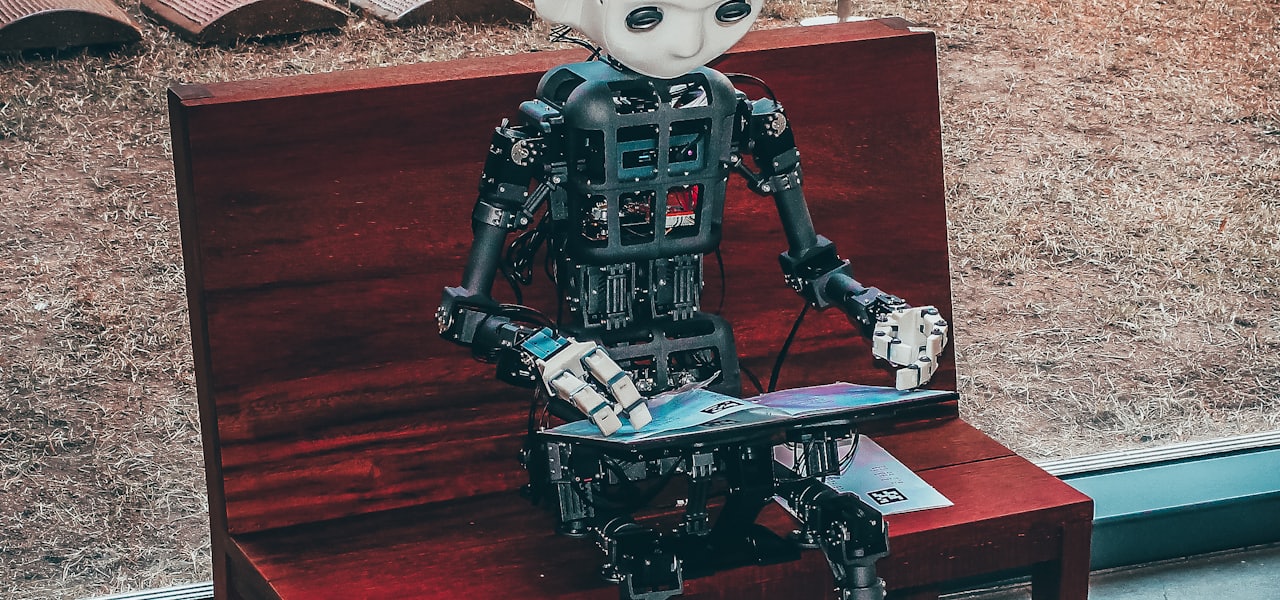
Robot Monk Xian'er (Chinese: 贤二机器僧) is a humanoid robot based on the cartoon character Xian'er. It was developed by a team of monks, volunteers and AI experts from Beijing Longquan Monastery in Beijing, China. He can follow human instructions to make body movements, read scriptures and play Buddhist music. He can chat and respond to people's emotional and spiritual questions with Buddhist wisdom. As a chatbot, Robot Monk Xian'er is available on certain public platforms including WeChat and Facebook. Over the years, master Xuecheng, the abbot of Beijing Longquan Monastery, replied to thousands of questions on Sina Weibo. These questions and their answers become the data source of the chatbot.
Intel Management Engine
The Intel Management Engine (ME), also known as the Intel Manageability Engine, is an autonomous subsystem that has been incorporated in virtually all of Intel's processor chipsets since 2008. It is located in the Platform Controller Hub of modern Intel motherboards. The Intel Management Engine always runs as long as the motherboard is receiving power, even when the computer is turned off. This issue can be mitigated with the deployment of a hardware device which is able to disconnect all connections to mains power as well as all internal forms of energy storage. The Electronic Frontier Foundation and some security researchers have voiced concern that the Management Engine is a backdoor. Intel's main competitor, AMD, has incorporated the equivalent AMD Secure Technology (formally called Platform Security Processor) in virtually all of its post-2013 CPUs. == Difference from Intel AMT == The Management Engine is often confused with Intel AMT (Intel Active Management Technology). AMT runs on the ME, but is only available on processors with vPro. AMT gives device owners remote administration of their computer, such as powering it on or off, and reinstalling the operating system. However, the ME itself has been built into all Intel chipsets since 2008, not only those with AMT. While AMT can be unprovisioned by the owner, there is no official, documented way to disable the ME. == Design == The subsystem primarily consists of proprietary firmware running on a separate microprocessor that performs tasks during boot-up, while the computer is running, and while it is asleep. As long as the chipset or SoC is supplied with power (via battery or power supply), it continues to run even when the system is turned off. Intel claims the ME is required to provide full performance. Its exact workings are largely undocumented and its code is obfuscated using confidential Huffman tables stored directly in hardware, so the firmware does not contain the information necessary to decode its contents. === Hardware === Starting with ME 11 (introduced in Skylake CPUs), it is based on the Intel Quark x86-based 32-bit CPU and runs the MINIX 3 operating system. The ME firmware is stored in a partition of the SPI BIOS Flash, using the Embedded Flash File System (EFFS). Previous versions were based on an ARC core, with the Management Engine running the ThreadX RTOS. Versions 1.x to 5.x of the ME used the ARCTangent-A4 (32-bit only instructions) whereas versions 6.x to 8.x used the newer ARCompact (mixed 32- and 16-bit instruction set architecture). Starting with ME 7.1, the ARC processor could also execute signed Java applets. The ME has its own MAC and IP address for the out-of-band management interface, with direct access to the Ethernet controller; one portion of the Ethernet traffic is diverted to the ME even before reaching the host's operating system, for what support exists in various Ethernet controllers, exported and made configurable via Management Component Transport Protocol (MCTP). The ME also communicates with the host via PCI interface. Under Linux, communication between the host and the ME is done via /dev/mei or /dev/mei0. Until the release of Nehalem processors, the ME was usually embedded into the motherboard's northbridge, following the Memory Controller Hub (MCH) layout. With the newer Intel architectures (Intel 5 Series onwards), the ME is integrated into the Platform Controller Hub (PCH). === Firmware === By Intel's current terminology as of 2017, ME is one of several firmware sets for the Converged Security and Manageability Engine (CSME). Prior to AMT version 11, CSME was called Intel Management Engine BIOS Extension (Intel MEBx). Management Engine (ME) – mainstream chipsets Server Platform Services (SPS) – server chipsets and SoCs Trusted Execution Engine (TXE) – tablet/embedded/low power It was also found that the ME firmware version 11 runs MINIX 3. Management of the ME modules for provisioning inside the UEFI is done via a tool called Intel Flash Image Tool (FITC). ==== Modules ==== Active Management Technology (AMT) Intel Boot Guard (IBG) and Secure Boot Quiet System Technology (QST), formerly known as Advanced Fan Speed Control (AFSC), which provides support for acoustically optimized fan speed control, and monitoring of temperature, voltage, current and fan speed sensors that are provided in the chipset, CPU and other devices present on the motherboard. Communication with the QST firmware subsystem is documented and available through the official software development kit (SDK). Protected Audio Video Path, enforces HDCP Intel Anti-Theft Technology (AT), discontinued in 2015 Serial over LAN (SOL) Intel Platform Trust Technology (PTT), a firmware-based Trusted Platform Module (TPM) Near Field Communication, a middleware for NFC readers and vendors to access NFC cards and provide secure element access, found in later MEI versions. == The intricacies of working with Intel ME == It should also be noted that the ME region requires special cleaning and subsequent initialisation, for example, after replacing the platform hub on the motherboard. Usually, this requires an SPI programmer. There are known successful cases of this operation being performed. == Security vulnerabilities == Several weaknesses have been found in the ME. On May 1, 2017, Intel confirmed a Remote Elevation of Privilege bug (SA-00075) in its Management Technology. Every Intel platform with provisioned Intel Standard Manageability, Active Management Technology, or Small Business Technology, from Nehalem in 2008 to Kaby Lake in 2017 has a remotely exploitable security hole in the ME. Several ways to disable the ME without authorization that could allow ME's functions to be sabotaged have been found. Additional major security flaws in the ME affecting a very large number of computers incorporating ME, Trusted Execution Engine (TXE), and Server Platform Services (SPS) firmware, from Skylake in 2015 to Coffee Lake in 2017, were confirmed by Intel on November 20, 2017 (SA-00086). Unlike SA-00075, this bug is even present if AMT is absent, not provisioned or if the ME was "disabled" by any of the known unofficial methods. In July 2018, another set of vulnerabilities was disclosed (SA-00112). In September 2018, yet another vulnerability was published (SA-00125). === Ring −3 rootkit === A ring −3 rootkit was demonstrated by Invisible Things Lab for the Q35 chipset; it does not work for the later Q45 chipset as Intel implemented additional protections. The exploit worked by remapping the normally protected memory region (top 16 MB of RAM) reserved for the ME. The ME rootkit could be installed regardless of whether the AMT is present or enabled on the system, as the chipset always contains the ARC ME coprocessor. (The "−3" designation was chosen because the ME coprocessor works even when the system is in the S3 state. Thus, it was considered a layer below the System Management Mode rootkits.) For the vulnerable Q35 chipset, a keystroke logger ME-based rootkit was demonstrated by Patrick Stewin. === Zero-touch provisioning === Another security evaluation by Vassilios Ververis showed serious weaknesses in the GM45 chipset implementation. In particular, it criticized AMT for transmitting unencrypted passwords in the SMB provisioning mode when the IDE redirection and Serial over LAN features are used. It also found that the "zero touch" provisioning mode (ZTC) is still enabled even when the AMT appears to be disabled in BIOS. For about 60 euros, Ververis purchased from GoDaddy a certificate that is accepted by the ME firmware and allows remote "zero touch" provisioning of (possibly unsuspecting) machines, which broadcast their HELLO packets to would-be configuration servers. === SA-00075 (a.k.a. Silent Bob is Silent) === In May 2017, Intel confirmed that many computers with AMT have had an unpatched critical privilege escalation vulnerability (CVE-2017-5689). The vulnerability was nicknamed "Silent Bob is Silent" by the researchers who had reported it to Intel. It affects numerous laptops, desktops and servers sold by Dell, Fujitsu, Hewlett-Packard (later Hewlett Packard Enterprise and HP Inc.), Intel, Lenovo, and possibly others. Those researchers claimed that the bug affects systems made in 2010 or later. Other reports claimed the bug also affects systems made as long ago as 2008. The vulnerability was described as giving remote attackers: "full control of affected machines, including the ability to read and modify everything. It can be used to install persistent malware (possibly in firmware), and read and modify any data." === PLATINUM === In June 2017, the PLATINUM cybercrime group became notable for exploiting the serial over LAN (SOL) capabilities of AMT to perform data exfiltration of stolen documents. SOL is disabled by default and must be enabled to exploit this vulnerability. === SA-00086 === Some months after the previous bugs, and subsequent warnings from the EFF, securi